
Max Wilhelm Lien
Co-founder · AI consultant
The one you meet first and talk to most along the way. Finds where the business loses time and money, and builds and runs the systems together with Leon.
For growing contractors with 10–50 employees
So we connect to everything you use today and make the paperwork more efficient, so the same people can take on more projects. You don't have to switch anything, but you can cut apps you don't need.
The resultGrow from 20 to 30 without hiring more admin staff.
60 minutes on video or phone · free, no obligation


In use at Nordflo and Massivlust. Now we are opening up for more.
You call three people to find out who is where today.
The crew list, the job safety analysis (SJA) and the equipment list are made from scratch. Every week.
The project manager checks the timesheets by hand before payroll.
The project manager is still writing up the minutes from today's meeting. Same as yesterday.
There is nothing wrong with your people. It is the paperwork that grows faster than the business.
We think there is a better answer: the same people, and a system that does the tedious work.
It makes their job easier, so each of them can handle more. The judgement calls and decisions stay with you.
Talking with the client and making the calls on site is the job. The minutes afterwards and the list for HMSREG are the tedious part.
Most of the people we talk to don't. They want to get rid of double work and manual routines, and that is what we build.
60 minutes · free, no obligation
The project manager writes one message in the chat. The assistant pulls what it needs from the programs you already have and sets up the document. The project manager reads it through and sends it.
60 minutes · free, no obligation
The hours stay in Tripletex, Visma or PowerOffice, the drawings in Dalux and the agreements in your email. We connect to what you use, and we don't sell accounting. If you pay for apps you hardly use, for example for staffing, we can build what you need into the system, so you can cancel them.
The assistant makes the draft. The email doesn't go out until the project manager says “send”. Professional judgement and decisions stay with you.
We don't start from zero with each customer. The core is built for contractors, and the AI audit shows what gives you the most time back first.
The Company Brain · Knows your projects, people and routines
We train you along the way, so you understand your own systems. When something breaks on a Friday afternoon, we are the ones you call.
Examples. Which connections exist or need to be built for you, we work out in the AI audit. The names belong to their owners, and we are not partners with them.
60 minutes · free, no obligation
The assistant does the work in the chat. The result ends up where you can find it again: in the project folders and in the dashboard.
Minutes, job safety analysis (SJA), crew list for HMSREG, equipment list, weekly report and orders. The project manager writes one line or sends a picture of the notes. The assistant sets up the draft, and the project manager approves it.
 Minutes from today's site meeting.
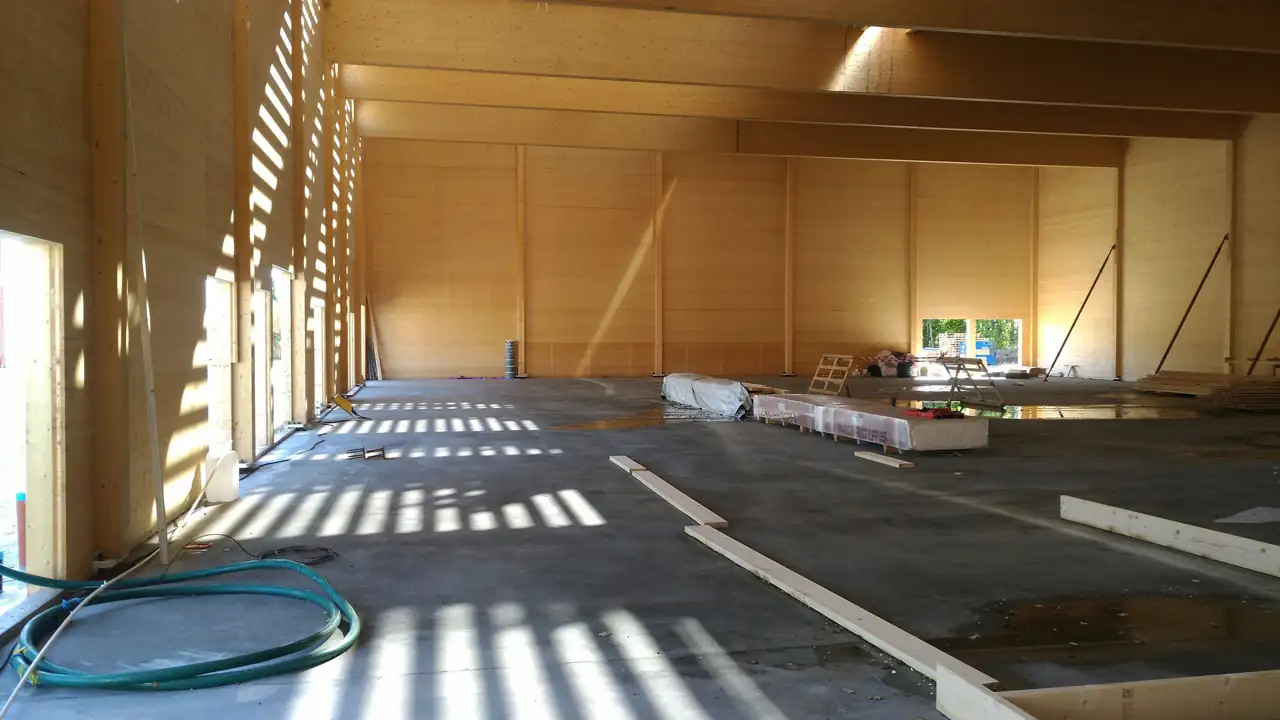 Photos from the site inspection, project A.
Morning report at 08:30 showing who is where today, and evening report at 17:00. Hours per project pulled from Tripletex, Visma or PowerOffice, and what is waiting for your approval, gathered in one dashboard. Ask about hours whenever you like, in the same chat.
The whole dashboard, with menu. Sample data, not customer figures.
“I need a schematic view of staffing. I could use a dashboard.”
The owner of Massivlust, on what he needed (translated)
The new hire gets a starter pack with routines, project and contact people, and a checklist for HSE card, courses and access. Questions can go to the assistant instead of to the project manager.
Also included: change orders, minutes and drawings in the right place, privacy (only the owner sees pay), the Company Brain and your own requests. Fewer apps: what you pay for without needing it, for example a separate staffing app, we can build into the system, so you can cancel the subscription. 51 items in total.
See all 51 items ↓See the whole system, chapter by chapter →
60 minutes · free, no obligation
Customer · Massivlust · mass timber installation
Massivlust installs mass timber for main contractors, with installers on several building sites at once. The installers write the daily report in one chat: what was installed, and what stopped the work. They log their hours in Tripletex, as before. The owner gets a morning report at 08:30 showing who is where, and an evening report at 17:00.
Measured in Massivlust's system on 19.10.2026. The figures show the underlying data, not time saved.
“Progress schedule looks good. HSE plan is good. SJA is good. Everything is good.”
We show Massivlust in use · 60 minutes · free
Massivlust installs mass timber elements for main contractors. The installers work on building sites in several counties at once, and everything that happens out there comes in as messages: what was installed, the truck that came five hours late, the element that was labelled wrong at the factory. The project managers and the owner had to keep track of it all on top of their own jobs.
No systems were replaced. We connected to Tripletex, Gmail, Google Calendar and Google Drive, and put one chat in Telegram on top. The installers write to one team chat. The project managers and the owner each have their own assistant in the same app. The hours are mirrored from Tripletex every 15 minutes, so the answer to “how many hours do we have on the project” is never more than a quarter of an hour old.
The installer writes one message when the day is over. If it says “props didn't arrive” or “no crane before 10:00”, that is stored in the same database as the hours. The project manager writes “need minutes and for you to put them in the folder asap” or “can you make an SJA for the mass timber installation?”, and the assistant sets it up. The owner gets a morning report at 08:30 and an evening report at 17:00, and asks about hours in the same chat.
Measured in Massivlust's system on 19.10.2026. The hours are mirrored from Tripletex every 15 minutes: 2,872 hours, 11 people, 3 projects. 61 deviations documented between 20.11.2025 and 14.10.2026, at least 32 of them caused by others: factory, transport, design. None of them has a claim registered. That last figure is the reason for the next step.
The deviations have text and hours, but no kroner. Only 1 of 51 projects in the system has a budget. What we are building now is profitability per project: how much has been spent against how much is done, so the owner sees it in the same chat every week. It is not live yet, and we say so.
First meeting, 60 minutes, free
AI audit, 2–3 meetings
We build
Delivery: the monthly price starts, and the guarantee applies
If you say yes in the meeting, you sign digitally with BankID. You only commit to the audit. You already know the price.
You keep everything we find: where the hours are lost, the before figures and what gives the most time back first. It is yours, even if you stop there.
Half a day for the owner and project managers: how you use AI in your day-to-day.
The course price is deducted if you buy the System within 60 days.
The course is booked without an audit.
Ask about the courseYour own requests: you only cover direct costs such as licences, with no markup.
Book a meeting about the SystemThe same, with your own requests every month and a dedicated contact person.
Ask about the System +All prices excl. VAT. Lower monthly price if you commit. All data is yours, and everything is deleted if you stop.
If you don't save time worth more than what you pay each month, we work for free until you do.
All we ask for is the access we need, and that your employees use the system every working day. What counts as use, and how time saved is measured and reported, is set in the audit and written into the agreement. It is a work guarantee, not money back.
We only take on one contractor per trade, for example mass timber, concrete or carpentry. If a competitor in the same trade has already said yes, we can't take you on.
Your tradeAsk in the first meeting whether it is availableEverything on the list is included. What already runs at Massivlust, we set up first. The rest we build in the order the AI audit shows gives back the most time.
Today: The owner calls around to find out the status
What is happening on each project, and why.
Today: The hours are not compared with the plan
Hours used against plan per project, so the next tender can be priced more accurately.
Today: No figures
Waiting time and others' errors in hours per project.
Today: Two sources, two answers
Logged and sent per project.
Today: Has to be dug out of Tripletex
What customers owe you, read from Tripletex.
Today: The project manager checks the entries by hand before payroll
The hours are read from Tripletex, Visma or PowerOffice and linked to the right project.
Today: Wrong date and break, back-and-forth nagging
Asks the installer in the chat when an entry is missing a break or a project.
Today: The project manager makes it before every project
Draft from the staffing, you send it.
Today: Written from scratch every time
Draft from a template and earlier projects.
Today: Written by hand
Per project and number of people.
Today: Agreed verbally, guessed afterwards
Picked up from the chat and the email.
Today: Written late or never
Draft to the client, you send it.
Today: Written in the evening, or not at all
Made from the day's messages.
Today: The project manager puts it together by hand
Draft to the client every week.
Today: Written late and ends up in the wrong place
From voice or notes, put in the project folder.
Today: “Where is the drawing?” “Never got it”
Latest revision right in the chat.
Today: Sits in one person's inbox
Sorted by project.
Today: Fixed on the spot and forgotten
A photo or voice message becomes a deviation on the right project.
Today: Nobody notes who is to blame
Factory, supplier, main contractor or your own error.
Today: Deviations are rarely priced
Draft claim with the hours to whoever is to blame.
Today: Left open
Reminders until the deviation is closed.
Today: Scattered across chats and heads
Per project, as a draft for QA and the client. You approve.
Today: Text, Messenger and phone all mixed up
The messages end up on the right project.
Today: Everything goes through their phone
For project manager and owner, knows the projects.
Today: Nobody knows what is happening until the evening
“starting deck 3” becomes a timeline per project.
Today: The project manager calls around
One message out to everyone on the project.
Today: “How many hours do I have?” to the project manager
The installer gets answers about their own hours.
Today: The owner calls around to find out who is where
In the morning report at 08:30. A plan for next week is set up once the staffing plan is connected.
Today: Mentioned in the chat and forgotten
Picked up from the chat and added to the plan.
Today: Discovered the same morning
Alert when a project is short of people, once the staffing plan is connected.
Today: The list is made by hand for the main contractor
Draft of the list, you send it.
Today: People stand around waiting, nobody notes it
Waiting time logged in hours, the basis for claims.
Today: “Missing 2 beams”, “elements swapped”
Draft to the supplier about what is missing, the same day. You send it.
Today: The installers don't know what is coming
Next week's deliveries sent to the people on the project.
Today: Phoned in or sent by text
“need 40 m² plasterboard” becomes a draft order, you approve.
Today: Lift and crane are booked at the last minute
Reminder and draft based on progress.
Today: Nobody knows what has been ordered
Ordered, delivered and missing per project.
Today: Gathered in the last week
Gathered continuously through the project.
Today: Searching through phones
Gathered per project.
Today: Change orders are reconstructed from memory
The change orders and claims that have been logged, gathered per project.
Today: Asks colleagues about everything
Starter pack with routines, project and contact people.
Today: The project manager remembers it, or not
Checklist and reminders until it is in order.
Today: “We need an HSE course and a lift course”
Overview per employee, reminder before they expire.
Today: “Don't have access to the drive”
Chat, folders and systems from the start.
Today: Calls the project manager
Answers from the company's own routines, in the chat.
Today: The owner writes them in the evening
From the enquiry and drawings.
Today: Gut feeling
Hours used per project, so the next quote is based on your own figures.
Today: Forgotten
Reminder when a quote has not been answered.
Today: Nobody knows where the time goes
First step, NOK 15,000: 2–3 meetings where we find where the hours are lost and the before figures we are measured against. What we find is yours.
Today: Forget what they are paying for
Shows the hours saved, measured from the log.
Today: Things only you need don't get done
What only you need, built by agreement.
Today: Unclear who sees what
Record of processing, privacy policy, data processing agreement and access control. Only the owner sees pay.
Today: Nobody has the overview when the day is over
What is in the chat, the email and the systems, gathered in one place. Evening report with daily reports, deviations and messages from the main contractor.
See the whole system in the dashboard, chapter by chapter
The dashboard shows sample data, not customer figures.
60 minutes · free, no obligation
The AI course costs NOK 7,500, one time. The System costs NOK 25,000, 35,000 or 50,000 per month for 10–20, 21–35 or 36–50 employees. The System + costs NOK 40,000, 55,000 or 75,000. All prices excl. VAT. The System starts with the AI audit, which has its own price above the price cards.
No. The assistant makes the admin around the project manager more efficient, so each project manager can handle more. Professional judgement, approvals and decisions stay with you.
No. We connect to what you already have. In the audit we work out which connections and access you need. We also look for apps you pay for but don't need. We can replace those with something we build ourselves, but you decide whether anything gets replaced. The programs on this page are examples, not a promise that every connection is already built.
Some tasks can be solved with a tool and a little training. That is why we have the AI course. The System is for work that has to hang together across projects, documents and the programs you use, with access set up for your business.
Emails to the client, suppliers and customers don't go out until the project manager or the owner has said “send”. In the chat, the assistant answers employees directly, and reminders you have agreed on arrive automatically. What gets sent automatically, we agree on in the audit.
You don't need a list of requirements. The System is already built for contractors. In the AI audit we find what gives you the most time back first, and we build that first.
Time from the people who know the operation, and the access we agree on. We provide training along the way.
Then you stop there. You have paid for the audit and keep everything we found: where the hours are lost and what pays off to do first. The monthly price only starts once the system is delivered. Final start date and contract terms are reviewed before signing.
Then the guarantee does not apply. The condition is that the employees use the system every working day. What counts as use, we agree on in the audit, so it is clear before you start.
The System reads the hours from Tripletex. At Massivlust they are fetched every 15 minutes. Only the owner sees pay. Project managers see hours on their own projects, installers see their own hours.
You do. All data is yours, and everything is deleted if you stop.
No. The dashboard and the chat examples show what the system looks like, with sample data. Messages marked “Real” are from Massivlust's system, with names removed.
60 minutes · free, no obligation
In construction, the ones who deliver efficiently and with quality win. They are the ones we want to work for. That is why we talk about tasks, not about AI, and we only promise what we control ourselves.
Co-founder · AI consultant
The one you meet first and talk to most along the way. Finds where the business loses time and money, and builds and runs the systems together with Leon.

Co-founder · AI consultant
Developer who builds and runs the systems together with Max. You also have direct contact with Leon along the way about the solutions and how they should work in your day-to-day.
We build and run the systems ourselves. The data is yours, and everything is deleted if you stop.
VDA Gruppen is run by Westside Digital Automation AS · Org. no. 936 993 222 · Oslo · Serving all of Norway
Take on the next project without hiring more admin staff.
We show the assistant and the dashboard with sample data, how Massivlust uses it, and go through your day-to-day. We explain pricing and how to get started.
Email: kontakt@vdagruppen.com · Phone: 91 24 32 24